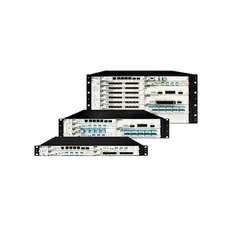





optic equipment Rack-mounted 1×16 Optical Switch
How to use optical switch?
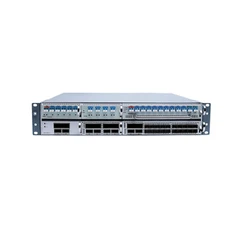
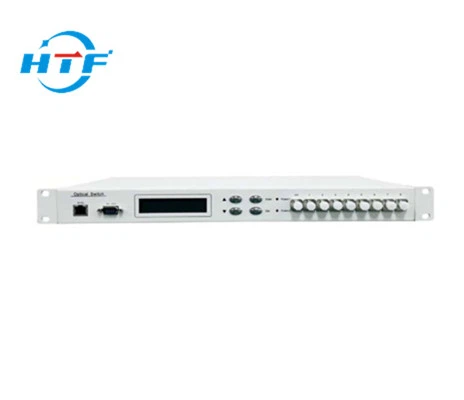
1.Front Panel

(1)、RJ45-Port for Ethernet、RS-232-Serial Port: Port for Monitoring.
(2)、Optical Ports: COMinput port,1, 2, 3…16indicate individual part.
2.Rear Panel

(1)LCD-Display Screen: Exhibiting for the address of the equipment, current channel and related information.
(2)▲——Up, ▼——Down, Enter——Confirm, Esc——Cancel.
(3)Power:Indication for working power supply.
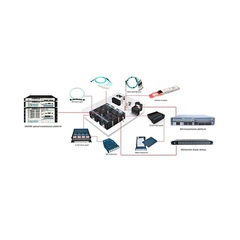
3.Attachment for Device
Internal Light Path Diagram

4. Communication Interface
(1)、RS-232
When connected to the computer, the DB9 serial port crosswire of both ends should be applied. It means that #2, #3 cable of both ends should be connected crossed, #5 cable should be abutting jointed, and the rest could be left out.
(2)、RJ45
When connected to the computer through switch, through lines should be applied. (The accurate order is 1-orange white, 2-orange, 3-green white, 4-blue, 5-blue white, 6-green, 7-brown white, 8-brown.)
When connected to the computer directly, crosswire should be applied. (One end is 1-orange white, 2-orange, 3-green white, 4-blue, 5-blue white, 6-green, 7-brown white, 8-brown. Another end is 1-green white, 2-green, 3-orange white, 4-blue, 5-blue white, 6-orange, 7-brown white, 8-brown.)
5.Panel operation
(1)、Keys latching: send order through communication ports to set keys on panels, please refer to “communication agreement introduction”. User can not set parameters on panels, when keys are latched.
(2)、Chan Locked Set
Press “enter” to login menu
Press “▲”or “▼”to select“Chan Locked Set”, press “enter” to enter
Press “▲”or “▼”to select allow or lock switch, press “enter” to finish.
Press “Esc” to back to previous step during the whole operation process. (Tips: when press “▲”or “▼”, the switching will be act immediately.)

Hot Tags: optic equipment Rack-mounted 1×16 Optical Switch, China, manufacturers, suppliers, factory, customized, buy, price, bulk, compatible brand, 100GHz 1250Mbs SFP CWDM 80km, OADM Module Card, MTP 12 Fibers MMF Cable, 10GBASE DWDM SFP C band 100Ghz 80km Transceiver, Patch Cord LC UPC Single mode, SFP 2 5G CWDM 120km Optical Transceiver