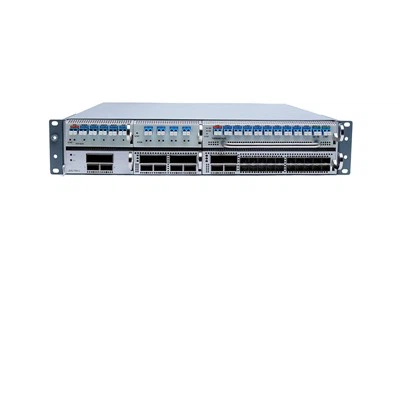



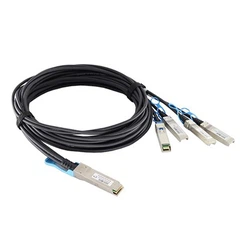


Optical fiber network card, namely network adapter or network interface card (NIC), is mainly used to connect computers and servers to data networks. Under normal circumstances, the backplane of the optical fiber network card has one or more ports, which can be connected to the network jumper of the RJ45 interface or the DAC high-speed cable of the port such as SFP/SFP+, AOC active optical cable and other cables.
The optical fiber network card can transmit signals at the physical layer and data packet forwarding at the network layer. No matter which layer of the OSI seven-layer model is the optical fiber network card can act as a "middleman" between the server/computer and the data network. When a user sends an Internet access request, the optical fiber network card will obtain data from the user's device and send them to the Internet server, and then receive the required data from the Internet for the user to access the Internet.
How to choose a suitable fiber optic network card?
1. Bus type
Confirm whether the selected optical network card is compatible with existing network equipment. Under normal circumstances, servers need to use PCIe or PCI bus optical fiber network cards. But for the computer, choose PCI, PCI-X bus optical fiber network card.
2. Data transfer rate
For servers, since server applications require higher bandwidth to manage large data traffic, the server should choose 10G or 25G fiber optic network cards to achieve high-speed network connections. For computers, you can choose 100Mbps or 1000Mbps fiber optic network card.
3. Number of ports
In normal use, a single-port fiber optic network card is enough, but considering the security and reliability of the network, a multi-port fiber optic network card is the best choice for the server, because the fiber optic network card with multiple ports can provide redundancy , Effectively avoid network paralysis caused by failure.
4. Connector type
The use of optical fiber network card is mainly to use cables to connect computers or servers to the network. Therefore, before purchasing optical fiber network cards, figure out what connector types (cables) are supported on the computer or server, such as twisted pair cables with RJ45 interfaces. LC/SC interface optical fiber jumper, even SFP+ or QSFP+ DAC high-speed cable or AOC active optical cable, you can choose according to the actual supported connector type.
5. operating system
Since each server supports different operating systems, such as Windows Server 2008 R2, Windows Server 2012, etc., you need to determine whether it can support the server's operating system before purchasing a server fiber optic network card.