


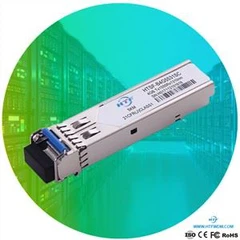


Q1: Use optical modules and fiber patch cord to connect Cisco switches and Huawei switches, and the light on the optical port does not light up.
A: Optical ports are usually capable of photoelectric multiplexing, and its default state is closed. If this problem appears, first check whether the status of the optical port is turned on, then check whether the optical module parameters of the devices at both ends, such as wavelength, speed, and transmission distance match, and then check whether the gateway is configured and the VLAN is consistent.
Q2: The light of the optical port does not light up after the two optical modules are interconnected
A: The possible causes are wavelength mismatch, fiber patch cord reversed, and optical modules of different brands or models are not compatible. At this time, you can replace the optical module, adjust the connection direction of the fiber jumper, and forcibly configure the optical module.
Q3. Two optical modules are connected, the indicator of one optical module is on, but the indicator of the other optical module is off
A: If the optical fiber patch cord corresponding to the receiving port of the optical module is normal, but the problem lies in the optical fiber jumper of the sending port, the result is that the indicator of the local optical module is on, but the indicator of the opposite end is off. The solution is to change the positions of the fiber patch cord at both ends. If the optical module indicator on the opposite end is on but the local optical module indicator is off, it means that one of the fiber patch cord has a problem. If the local optical module can receive the optical signal of the opposite end optical module but the opposite end optical module cannot receive the optical signal of the local optical module, it is certain that there is a problem with the local optical module or the patch cord.
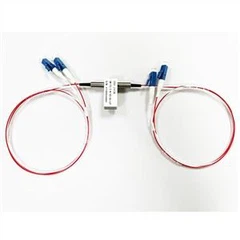
Q4: Use the optical module and two pairs of multi-mode fiber patch cord to connect two switches, the optical module does not light up.
A: Under the premise that the equipment is working normally, you need to troubleshoot the fiber line itself first, and then check whether the optical port is turned on, whether the fiber jumper is connected reversely, and whether the working mode of the optical port is consistent. You can also directly adjust the working mode of the optical port.
Q5: Both the local end and the opposite end use 10G SFP+ single-mode optical modules. The local end is non-auto-negotiation by default, and the opposite end is not clear, but the indicators on both sides are off.
A: First test whether the light attenuation of the optical fiber is within the normal range. If the light attenuation is normal, then check the optical module and auto-negotiation. In addition, if the brands of the two 10G SFP+ optical modules are different, you need to forcefully configure speed 1000 and duplex full at this time.