




Connect Cables to a CWDM OADM
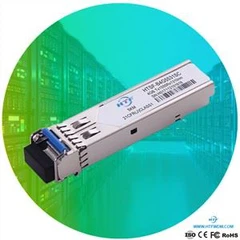
1. Insert the CWDM transceivers into the appropriate connectors on your switch if you have not already done so.
2. Insert the CWDM transceivers (color code/wavelength specific) into their respective switching module ports.
3. Clean all fiber optic connectors on the cabling before inserting them into the CWDM Mux/Demux connectors.
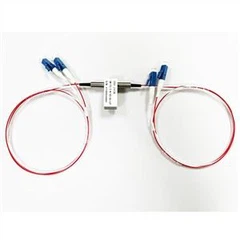
4. Connect the single-mode fiber optic patch cable from the CWDM transceiver (TX/RX) to the OADM module equipment connectors (TX/RX).
5. If you are using both channels of the CWDM OADM, then repeat step 4 for the second channel.
6. Connect the west backbone single-mode fiber patch cable to the OADM network west connector and connect the east backbone single-mode fiber patch cable to the OADM network east connector.
1.Insert the CWDM transceivers (color code/wavelength specific) into their respective switches.
2.Clean all fiber optic connectors on the cabling before inserting into them into the 8-channel CWDM Mux/Demux connectors.
3.Connect the single pair fiber optic cables from the CWDM transceivers (TX/RX; up to eight channels) to the OADM module equipment connectors (TX/RX; up to eight wavelengths).
4.Connect the backbone single pair fiber optic patch cables to the OADM network connector.
5.Connect the fiber optic patch cables from the CWDM transceivers (TX/RX) to the 8-channel Mux/Demux (TX/RX) connectors.